
npm cheat sheet: how to publish and deploy modules after December 9th, 2025
Author: Tom Boutell · Published
npm is changing the rules in a big way on December 9th, 2025. If you:
- Install private modules from npm's registry, or
- Publish modules to npm's registry,
... Then this affects you. And needless to say, we do both of those things quite a bit at ApostropheCMS.
So here's a quick cheat sheet on how to cope:
For installing or publishing private npm modules from your own computer: for this, you can use npm login like always. But: get ready to do it again every two hours! Going forward, npm login just gives you a short-lived "session token." There is a workaround for read-only access though, see below.
For installing private npm modules "in CI" (deployment): for this, you should generate a "granular access token" on npmjs.com. Grant it access to the right "scope" (don't use the "organization" section of the form, which has an unrelated purpose). Make sure you grant read-only access. And set the token lifetime you want. For read-only tokens, long lifetimes are still permitted.
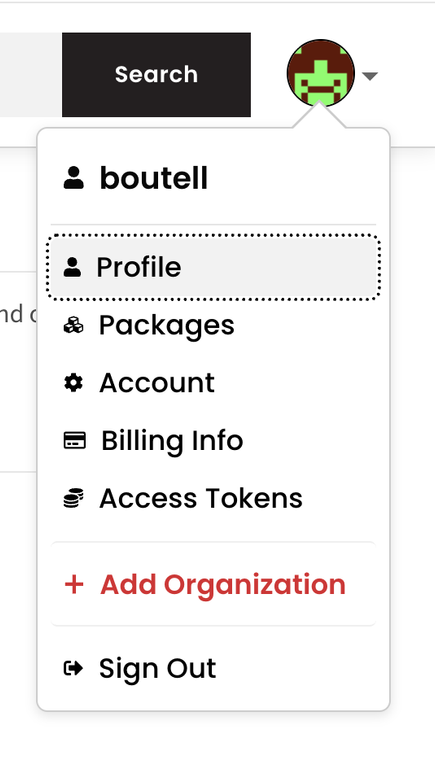
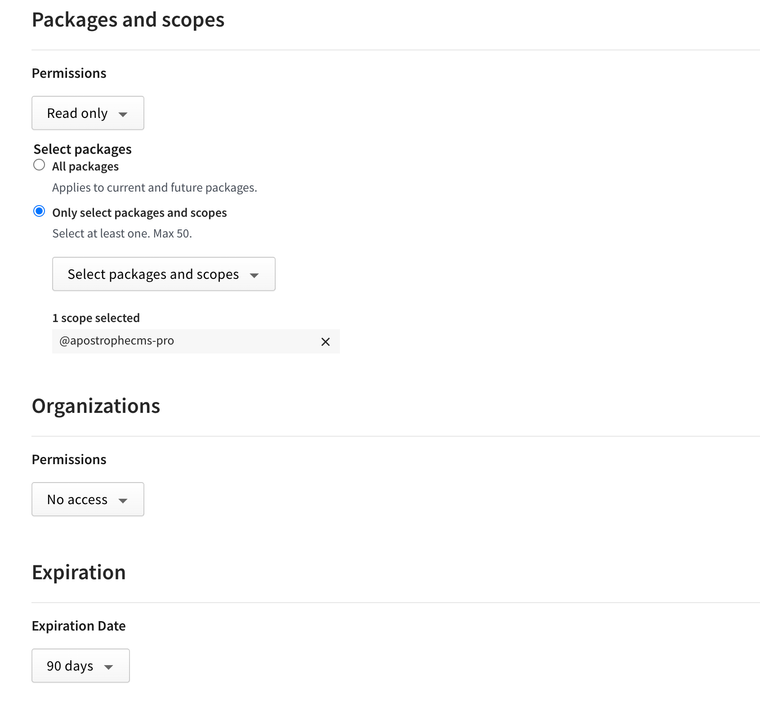
For publishing private npm modules "in CI" (via an automated process): for this, the technique is similar but the lifetime is shorter. Generate a "granular access token" on npmjs.com. Grant it access to the right "scope" (don't use the "organization" section of the form). Make sure you grant read-write access. Make sure you And set the token lifetime to a maximum of 90 days, the new maximum for read-write tokens. Then put a recurring reminder in your Google Calendar, because updating this setting is part of your life now.
"Great, but what do I do with the token once I have it?" The simplest thing is to copy it to a .npmrc file in the root directory of your project (don't forget the leading dot), formatted like this:
//registry.npmjs.org/:_authToken=your-token-here
But for better security you should use an environment variable, like this. In particular, I don't recommend committing your token to a repository:
//registry.npmjs.org/:_authToken=${NPM_TOKEN}
"Hey, can I use one of these long-lived tokens for local development too?" Sure you can. And it's a lot less annoying than logging in every two hours. You can do it by editing your ~/.npmrc file (the one in your home directory).
But, you'll probably want to come up with a strategy for switching between ~/.npmrc files set up this way and a ~/.npmrc file set up by "npm login" when you do need to publish a module.
"What if I also need access to packages in other registries?" A little more advanced, but you can add these in .npmrc as well, scoping the packages for each organization to the appropriate registry:
@myorg:registry=https://registry.myorg.com/
//registry.npmjs.org/:_authToken=${NPM_TOKEN}
//registry.myorg.com/:_authToken=${MYORG_NPM_TOKEN}
"What if I'm an ApostropheCMS hosting customer?" You're already covered, as far as deployments to our servers are concerned. Our system automatically makes sure your application has the access it needs for the modules covered by your Pro or Assembly license. If your project has its own .npmrc file, we'll append just what is needed for you to install our modules. But, you may find the above tips useful during local development.
"Why is this happening?" npm is seeking to address developer concerns after recent phishing attacks in which many package owners were tricked into publishing malicious packages. There is some debate as to how effective these changes will be, given that these phishing attacks rely on tricking human beings into surrendering their credentials. For more information, see npm's announcement. The announcement does not include their decision to delay invalidating the existing tokens to December 9th.
"Why is npm sunsetting TOTP (Google Authenticator)?" Yeah, this is really annoying: npm plans to end support for TOTP in the coming months, and you already can't use it to set up Two-Factor Authentication (2FA) for the first time. They haven't provided a detailed explanation, but it comes down to stopping phishing attacks. A phishing website with a sneaky name can "pass through" API calls for login credentials and TOTP to the actual npm website. But newer methods of 2FA, like passkeys, are directly associated with a domain name and rely on public/private key cryptography. The browser itself remembers what domain they should be sent to, which means the phishing website can't simply engage in "passthrough." Also: the phishing site simply doesn't have the needed public key.
Of course, any good password manager should do the same thing. If package owners consistently used a password manager, their password just wouldn't autocomplete on a phishing site. That would be common sense. But, npm can't enforce common sense. They can enforce the use of passkeys.
But for those of us who don't want to use passkey features provided by our operating systems, the good news is that many password managers, like 1password, support passkeys on their own. So that's what I recommend you set up on npmjs.com for 2FA. And let's be honest, it's more convenient than TOTP anyway.